Midnight Munchies
WEB DESIGN
UX DESIGN
VISUAL DESIGN
Overview
Midnight Munchies is a mobile recipe manager app designed for home bakers who want a focused, distraction-free cooking companion. As the sole designer on this project, I was responsible for defining the brand identity, establishing the visual design system, building high-fidelity mockups in Figma, and developing a fully interactive web-based prototype that simulates real app functionality. The goal was to create an experience that feels intentional, polished, and genuinely useful mid-bake, not just another recipe browser.
Problem
Most recipe apps try to do everything: meal planning, grocery lists, social feeds, dietary tracking. The result is an experience bloated with features that get in the way when a user actually needs to follow a recipe. Home bakers face a specific set of frustrations: screens that lock while their hands are covered in flour, ingredients that scroll out of view, timers buried behind navigation, and no easy way to track their progress through a multi-step method. The challenge was to design an app that strips away the noise and prioritizes what matters most in the moment of baking.
Solution
I approached this project by thinking carefully about what a baker actually needs access to while standing at a kitchen counter — and what can get out of the way.
Baking-first brand identity
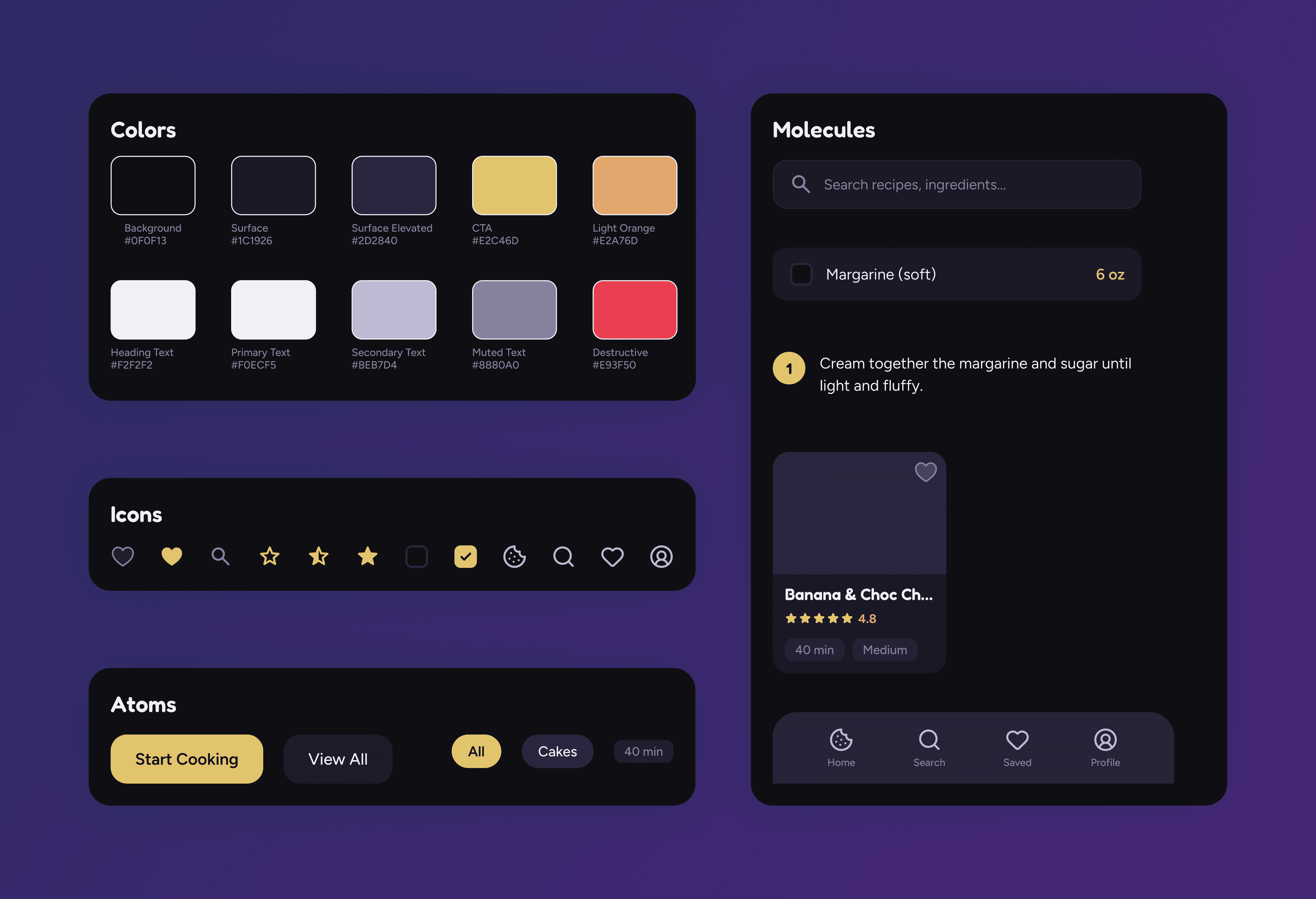
I developed the "Midnight Munchies" brand around the concept of late-night baking inspiration. The dark mode "Butter & Plum" palette was chosen deliberately: warm golds and soft lavenders feel inviting without producing harsh glare in a dimly lit kitchen. Fredoka was selected for headings to bring warmth and personality, paired with Figtree for body text to maintain clarity and readability at small sizes.
Progressive disclosure on the recipe detail page
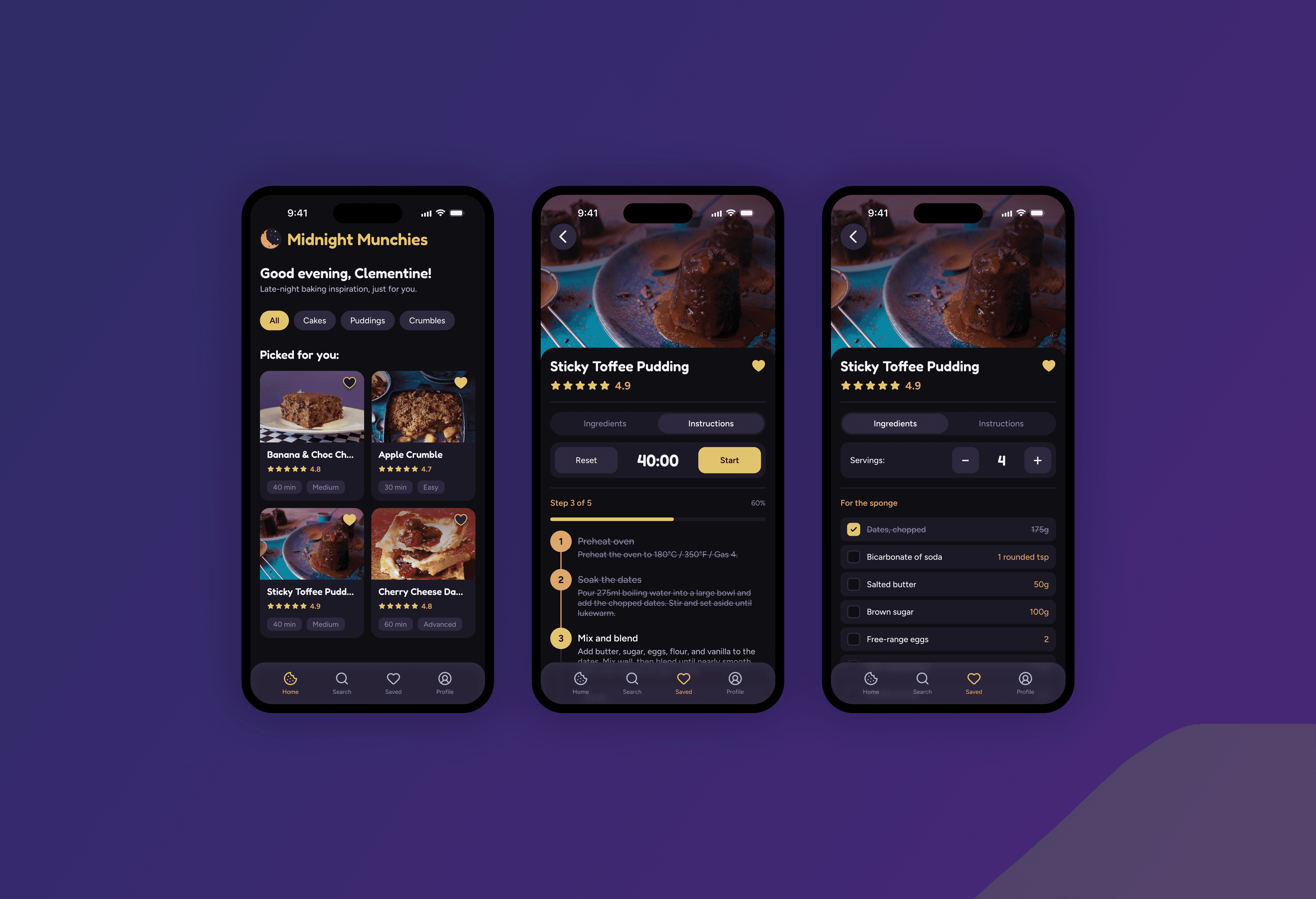
Rather than displaying every piece of information at once, I designed a collapsing header system. When a user opens a recipe, they see the hero image, title, rating, metadata, description, and tags. As they begin scrolling, the description and metadata accordion-collapse to make room for the content they actually need: ingredients or instructions. The title and rating remain visible at all times so the user always knows where they are. This was one of the most technically challenging aspects of the prototype, the collapse mechanics are driven by a virtual scroll system that sequences each phase deliberately rather than allowing everything to shift at once.
Separated scrolling architecture
A critical design decision was splitting the recipe detail page into two independent containers: a non-scrolling header (which handles the collapse behavior) and a separately scrollable content area for ingredients or instructions. This ensures that when sections collapse above, the ingredient or step list the user is reading never shifts or jumps unexpectedly. The content stays exactly where they left it.
Always-accessible tools
The serving size incrementor, baking timer, and step progress tracker are pinned in the header area and never scroll out of view. A baker kneading dough shouldn't have to scroll back up to check the timer or adjust servings. Ingredient quantities scale dynamically when servings change, with intelligent formatting that uses proper fractions rather than awkward decimals.
Meaningful interaction on ingredients and steps
Tapping an ingredient checks it off with a strikethrough and visual fade, making it immediately clear what's been added to the bowl. For instructions, checking off a step automatically marks all previous steps as complete and unchecking a step cascades forward. The step timeline uses a connected vertical line with numbered circles that visually communicate progress at a glance.
Tab switching that preserves context
Users can toggle between Ingredients and Instructions at any point without losing their scroll position or checked-off state. A sliding toggle indicator provides clear feedback about which view is active.
Results
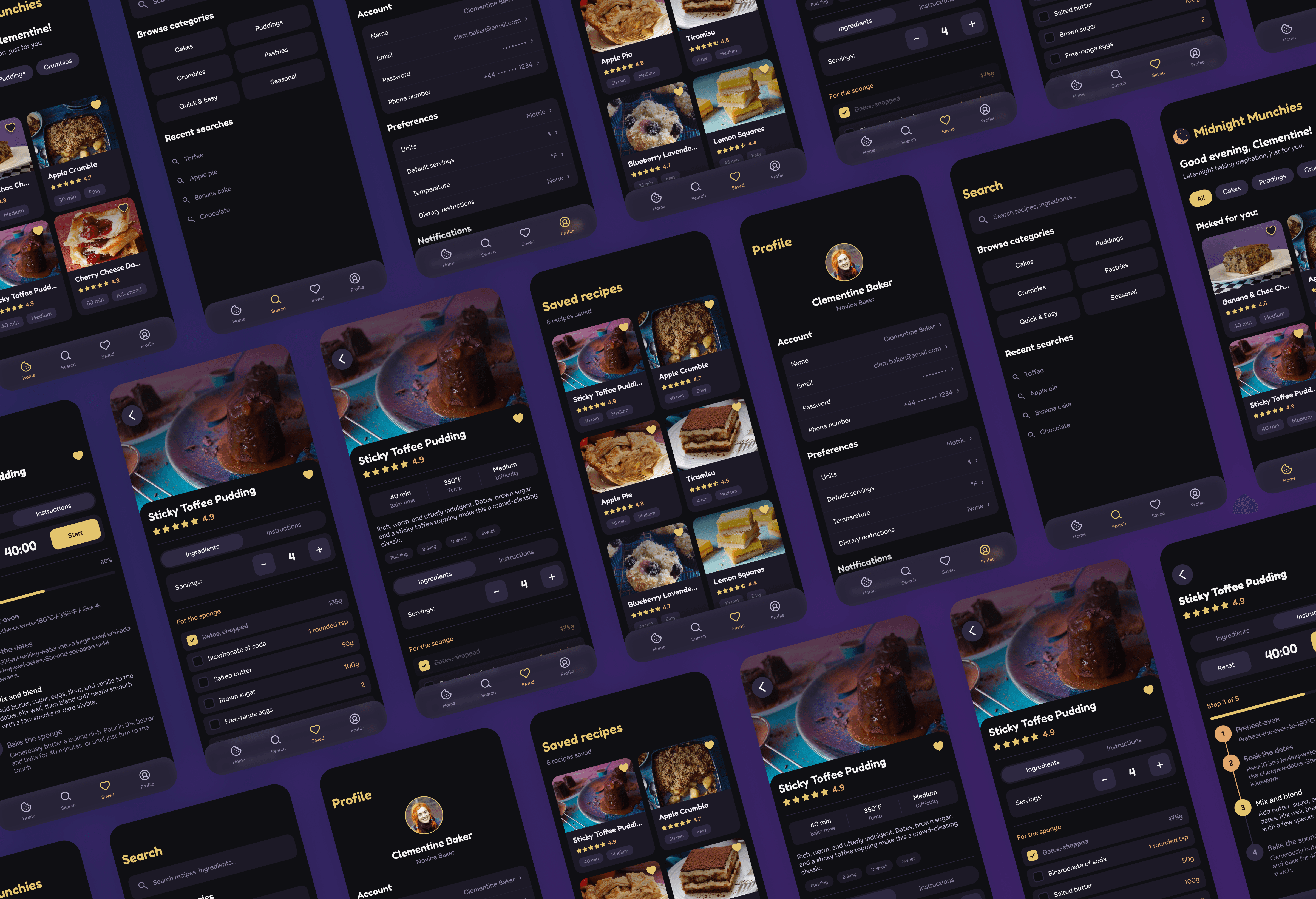
The final deliverable is a fully interactive web-based prototype that goes beyond static mockups to demonstrate real UI behavior: collapsing sections, scroll-driven animations, persistent state, dynamic ingredient scaling, and working navigation across all screens. The design system includes 12 color tokens, 6 typography styles, and a component library of cards, buttons, pills, tags, toggles, ingredient rows, step items, and navigation elements; all documented and consistently and applied across 5 distinct page types and 8 complete recipe flows.
View Demo